FAST_LIO_LC#
什么是 FAST_LIO_LC?#
- 计算高效且稳健的 LiDAR 惯性里程计包,带有闭环模块和图形优化.
存储库信息#
原始仓库 link#
https://github.com/yanliang-wang/FAST_LIO_LC
必需的传感器#
- LIDAR [Velodyne, Ouster, Livox]
- IMU [6-AXIS, 9-AXIS]
- GPS [Optional]
ROS 兼容性#
- ROS 1
依赖#
- Ubuntu 18.04
- ROS Melodic
- PCL >= 1.8, Follow PCL Installation.
- Eigen >= 3.3.4, Follow Eigen Installation.
- GTSAM >= 4.0.0, Follow GTSAM Installation.
  wget -O ~/Downloads/gtsam.zip https://github.com/borglab/gtsam/archive/4.0.0-alpha2.zip
  cd ~/Downloads/ && unzip gtsam.zip -d ~/Downloads/
  cd ~/Downloads/gtsam-4.0.0-alpha2/
  mkdir build && cd build
  cmake ..
  sudo make install
构建并运行#
1) 建#
    mkdir -p ~/ws_fastlio_lc/src
    cd ~/ws_fastlio_lc/src
    git clone https://github.com/gisbi-kim/FAST_LIO_SLAM.git
    git clone https://github.com/Livox-SDK/livox_ros_driver
    cd ..
    catkin_make
2) 设置参数#
- 下载仓库后,将配置文件(
workspace/src/FAST_LIO_LC/FAST_LIO/config/ouster64_mulran.yaml)上的主题和传感器设置更改为 bag 文件中的激光雷达主题名称.
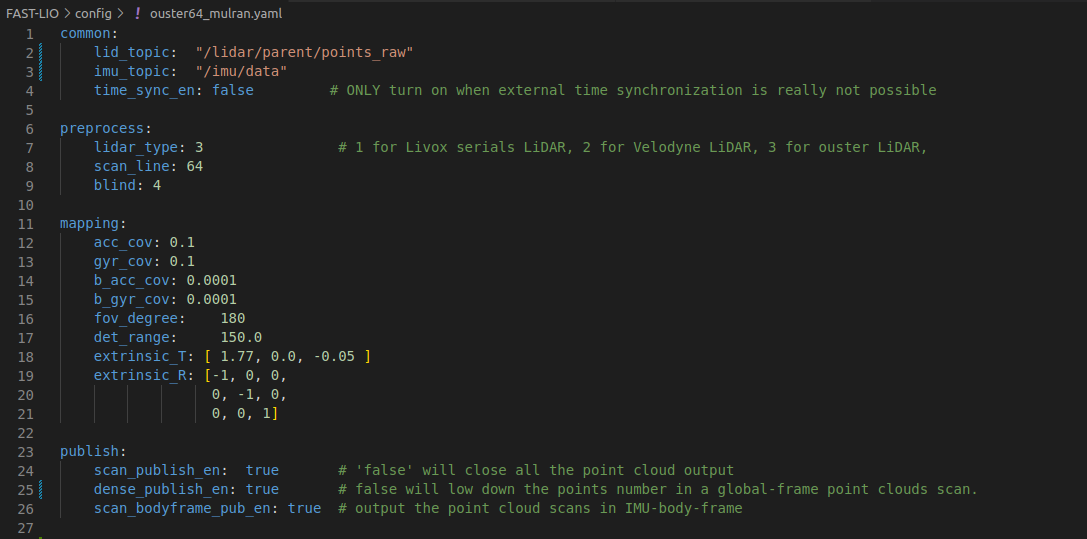
- 为了实现 imu-lidar 兼容性,必须更改校准中的外在矩阵.
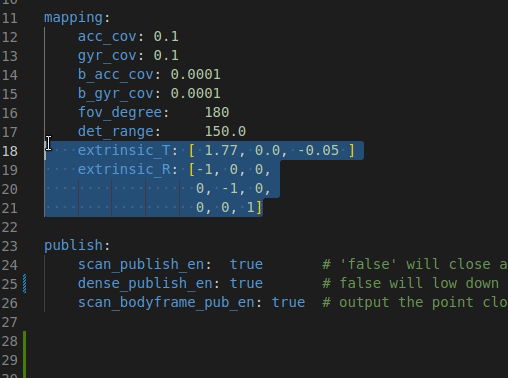
- 要启用自动保存,启动文件(
workspace/src/FAST_LIO_LC/FAST_LIO/launch/mapping_ouster64_mulran.launch)中的pcd_save_enable必须为1.
3) Run#
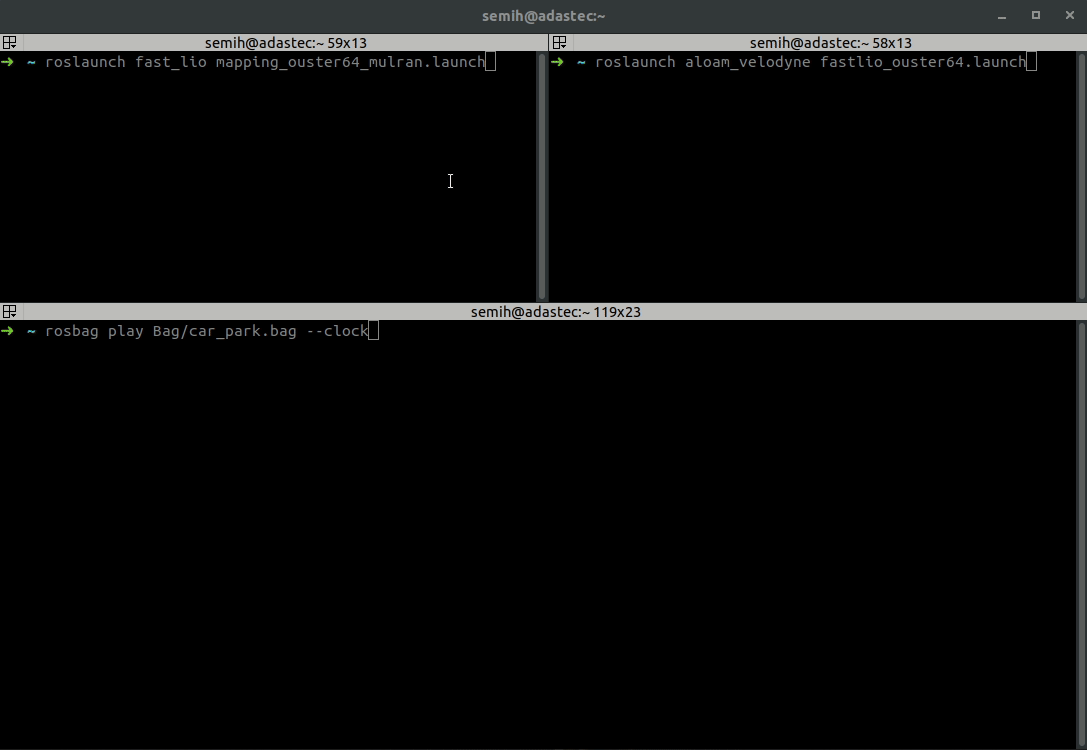
- For Ouster OS1-64
# 打开新终端: run FAST-LIO
roslaunch fast_lio mapping_ouster64.launch

# 打开 Other Terminal 选项卡: run SC-PGO
roslaunch aloam_velodyne fastlio_ouster64.launch

# 在另一个终端中播放 bag 文件
rosbag play RECORDED_BAG.bag --clock
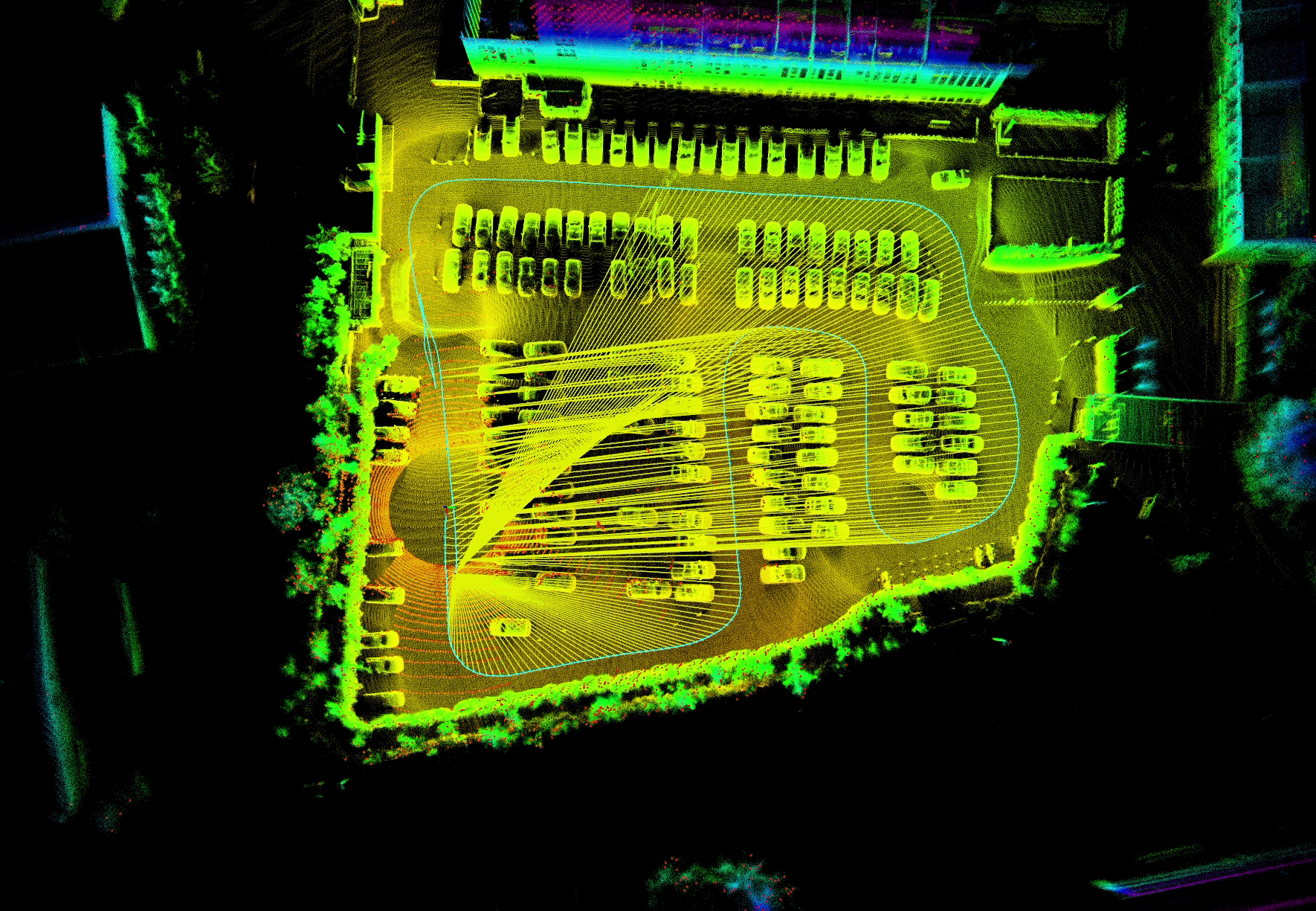
示例结果#

其他示例#
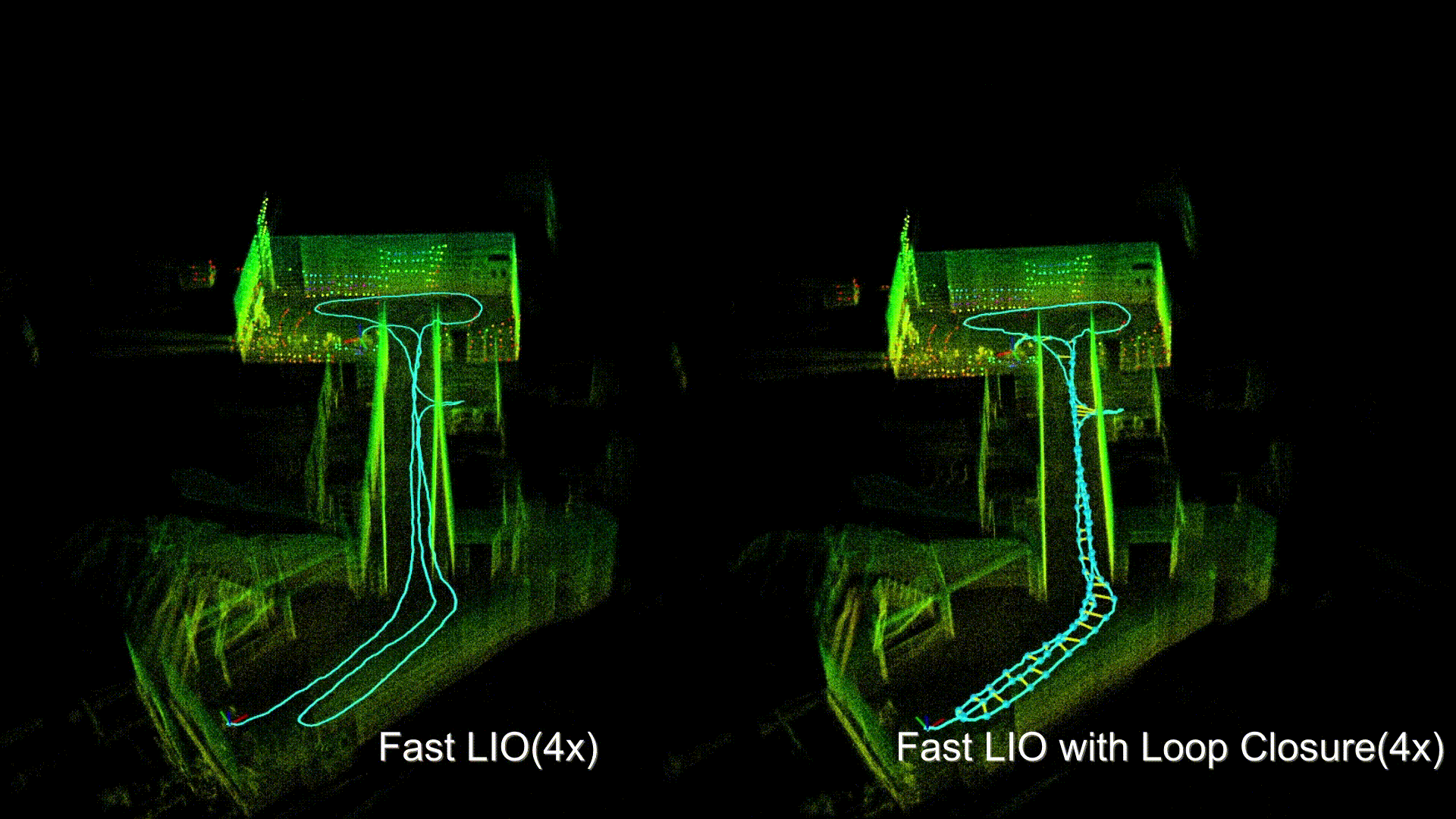
示例数据集#
检查示例 dataset 的原始存储库链接.
联系#
- Maintainer: Yanliang Wang (
wyl410922@qq.com)
确认#
- Thanks for FAST_LIO authors.